
Built for people who work with data all day
One window for querying, modelling, visualizing, and operating your data — fast, private, and without tool-switching.
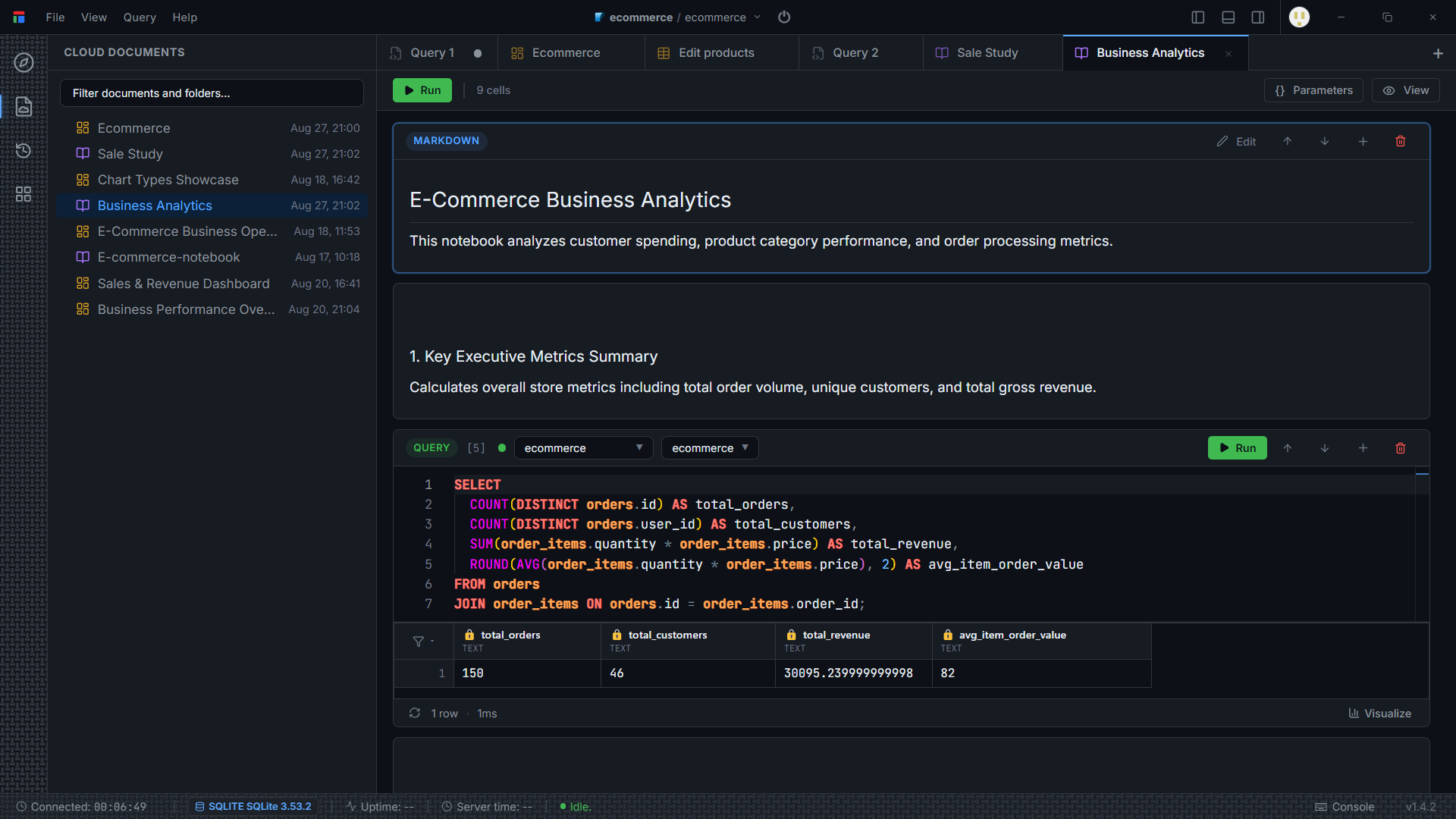
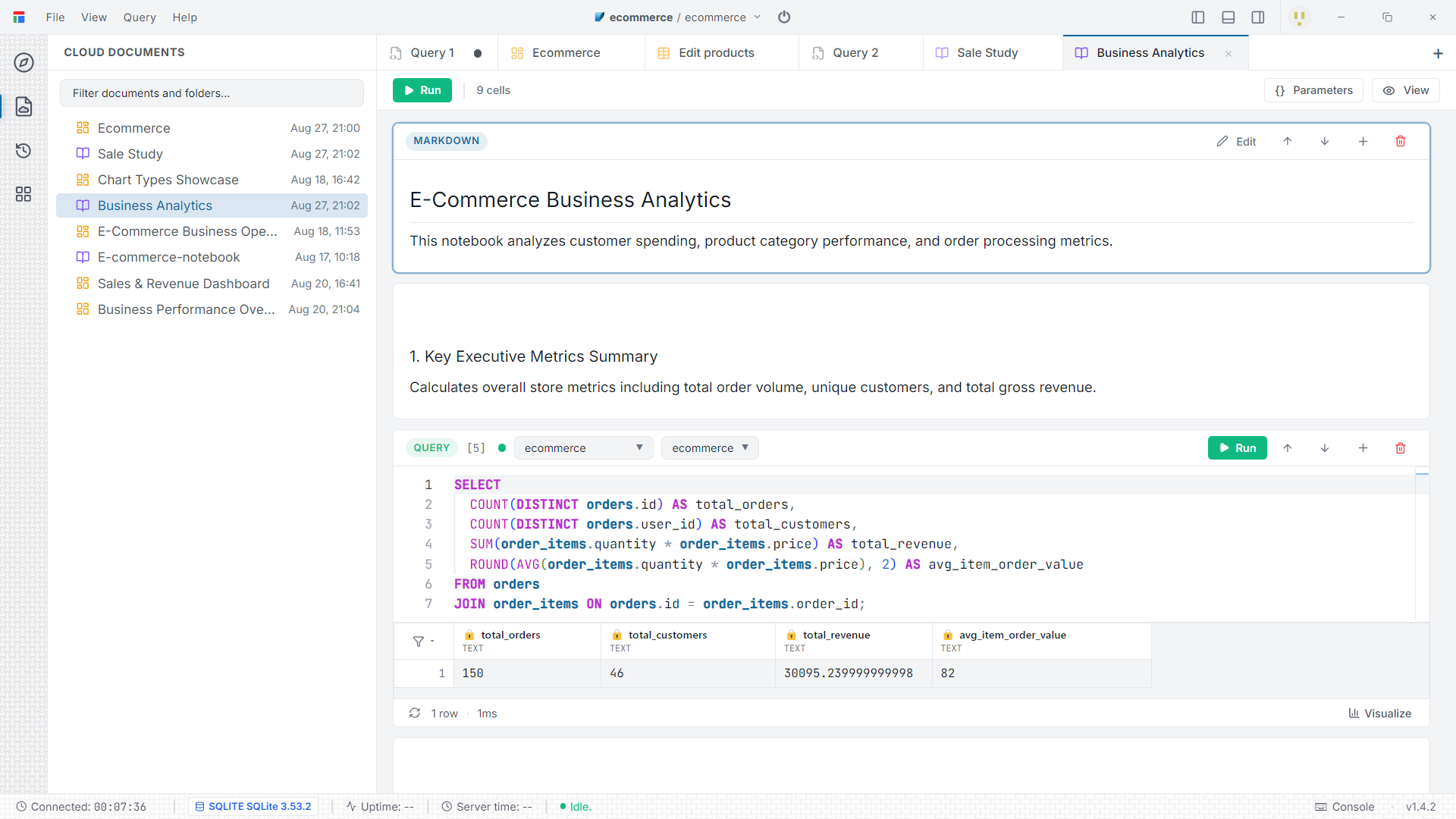
Monaco SQL Notebooks
Combine live query execution with rich explanatory text. Run cells one at a time or top to bottom, document an investigation as you go, and reopen it later with every result still in place.
Key Capabilities
- Full Monaco editor with dialect-aware autocomplete and syntax highlighting
- Per-cell execution with timing, against any connected database
- Markdown cells for narrative, headings, and formatted notes
- Cell outputs cached locally so a notebook reopens exactly as you left it
Visual ERD Studio
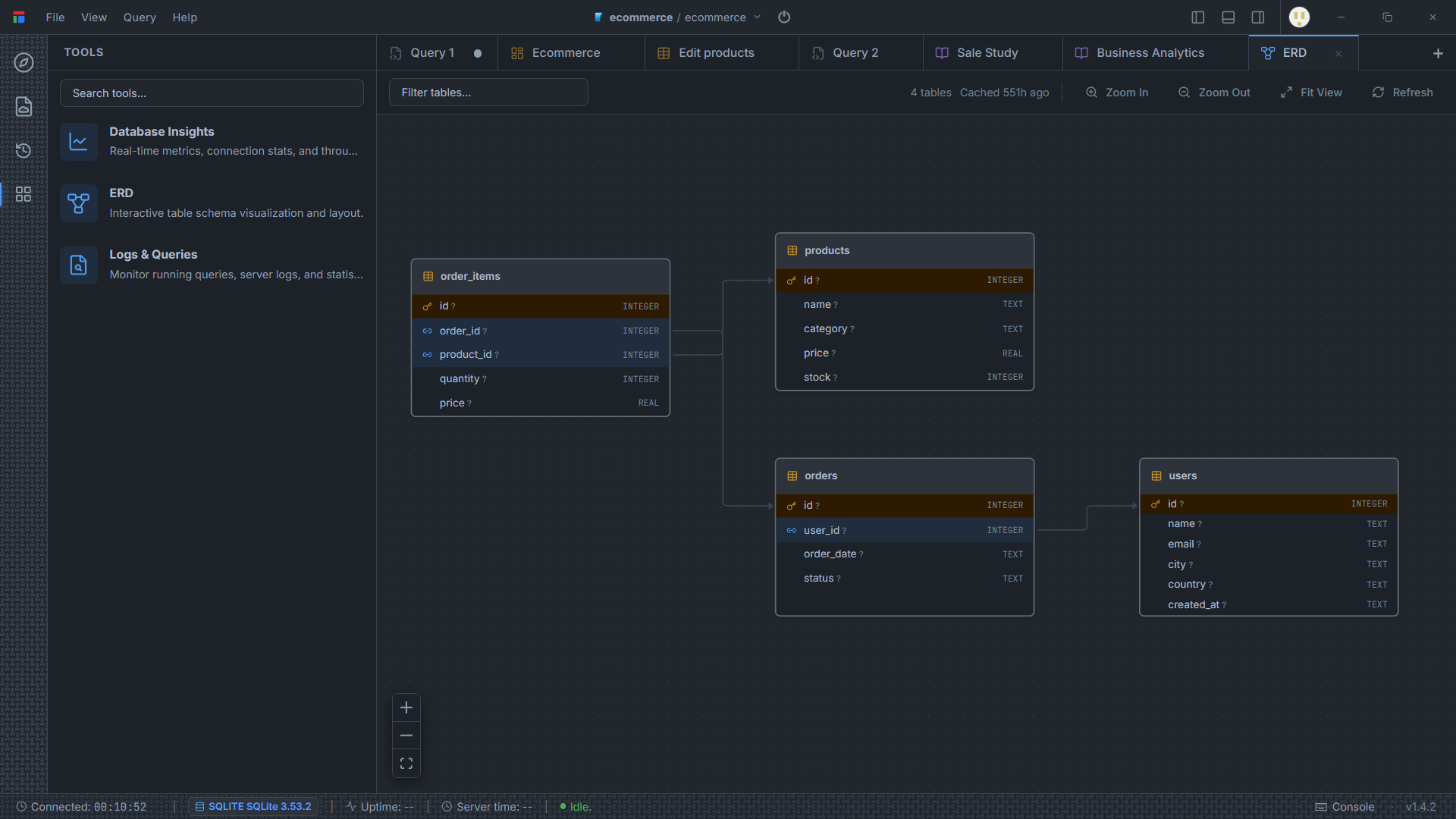
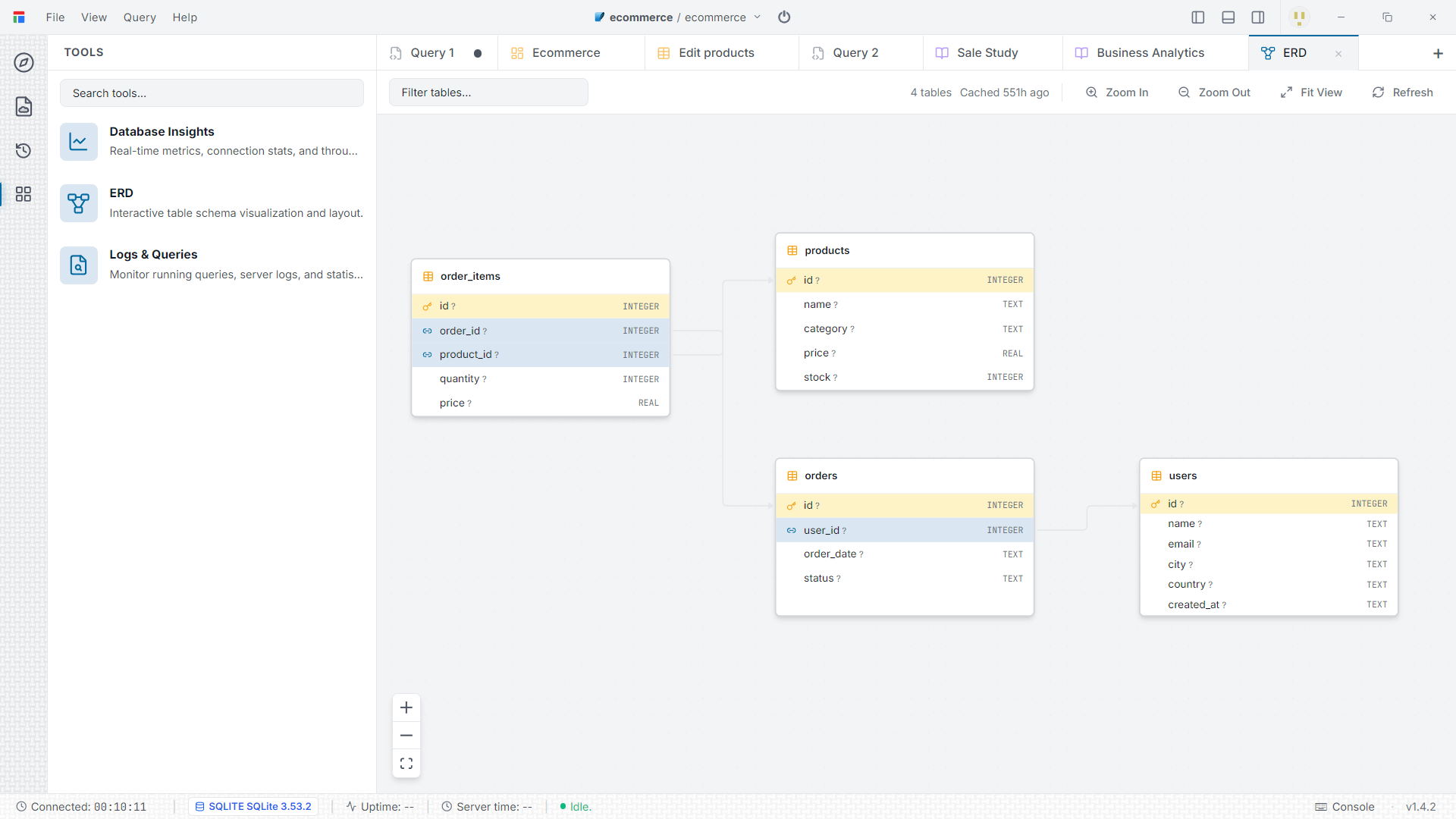
Open an ERD tab and Darang reads foreign keys, constraints, column types, and indexes from the live database, then arranges the tables automatically with a hierarchical graph engine.
Key Capabilities
- Automatic relationship detection across foreign keys
- Hierarchical auto-layout powered by elkjs and React Flow
- Drag nodes to refine the layout; inspect a table inline
- Export the diagram to SVG or PNG
- Layout and diagram are cached for instant reopening
Visual Schema Builder
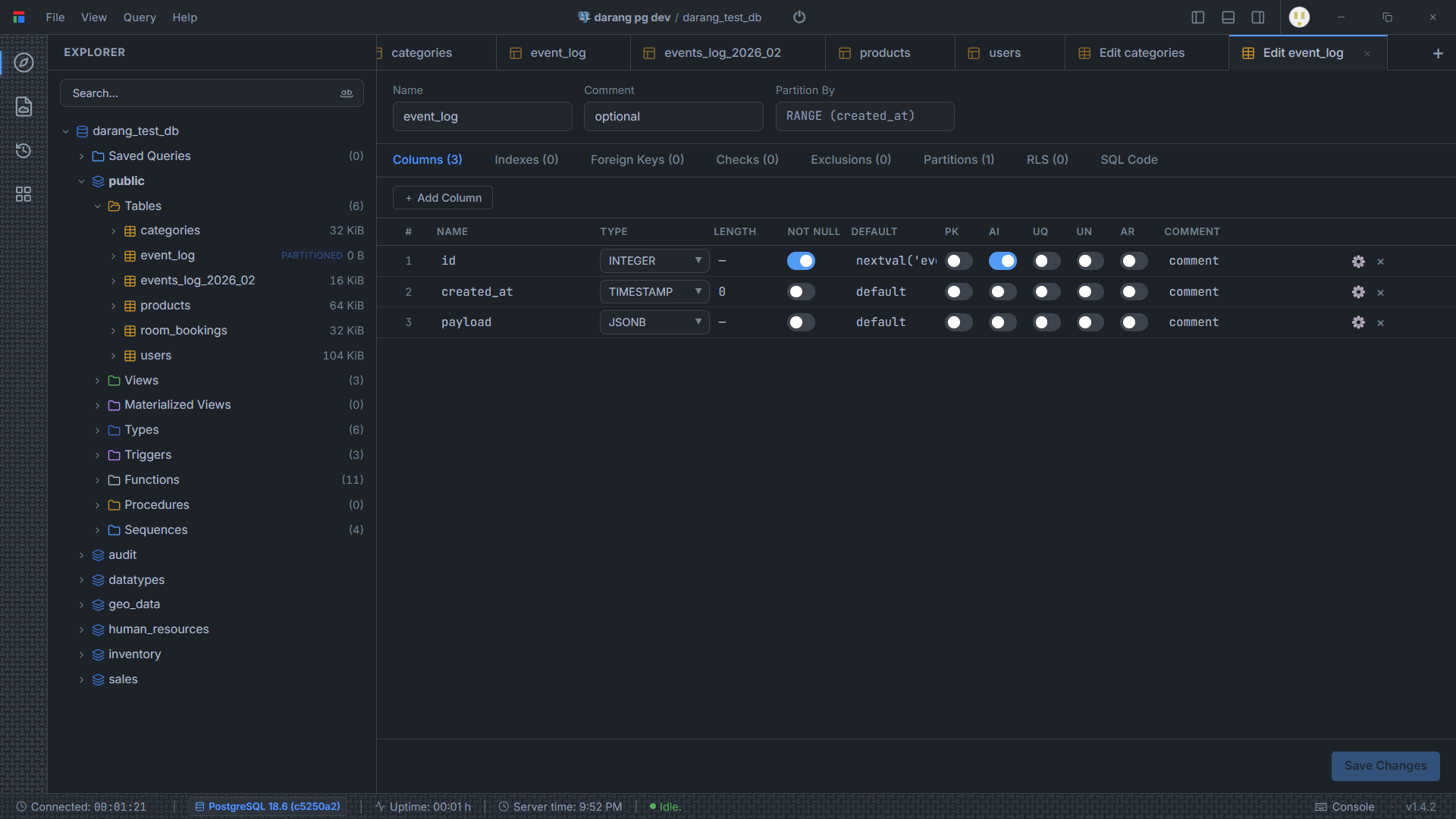
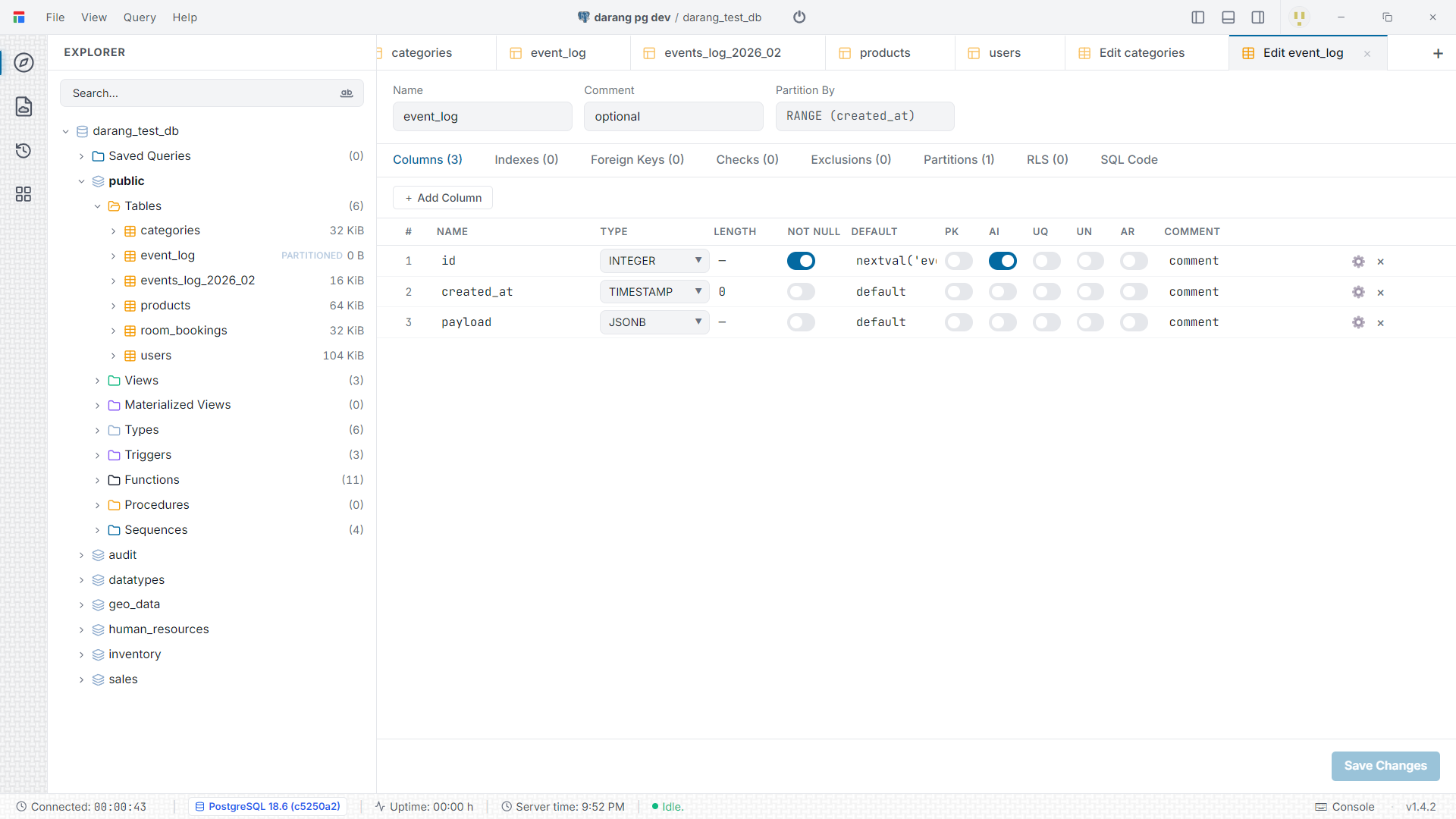
A structured editor for your database objects. Build a table column by column — types, defaults, primary keys, unique and not-null constraints, indexes, foreign keys, check constraints — and Darang generates the DDL. Review the exact SQL on the "SQL Code" tab before you apply it.
Key Capabilities
- Columns, indexes, foreign keys, check and exclusion constraints in one editor
- PostgreSQL extras: row-level security, partitions, roles, sequences, enums, extensions
- Live "SQL Code" preview of every change before you save
- Also edits views, triggers, functions and scheduled events
Bring-Your-Own-Key AI Assistant
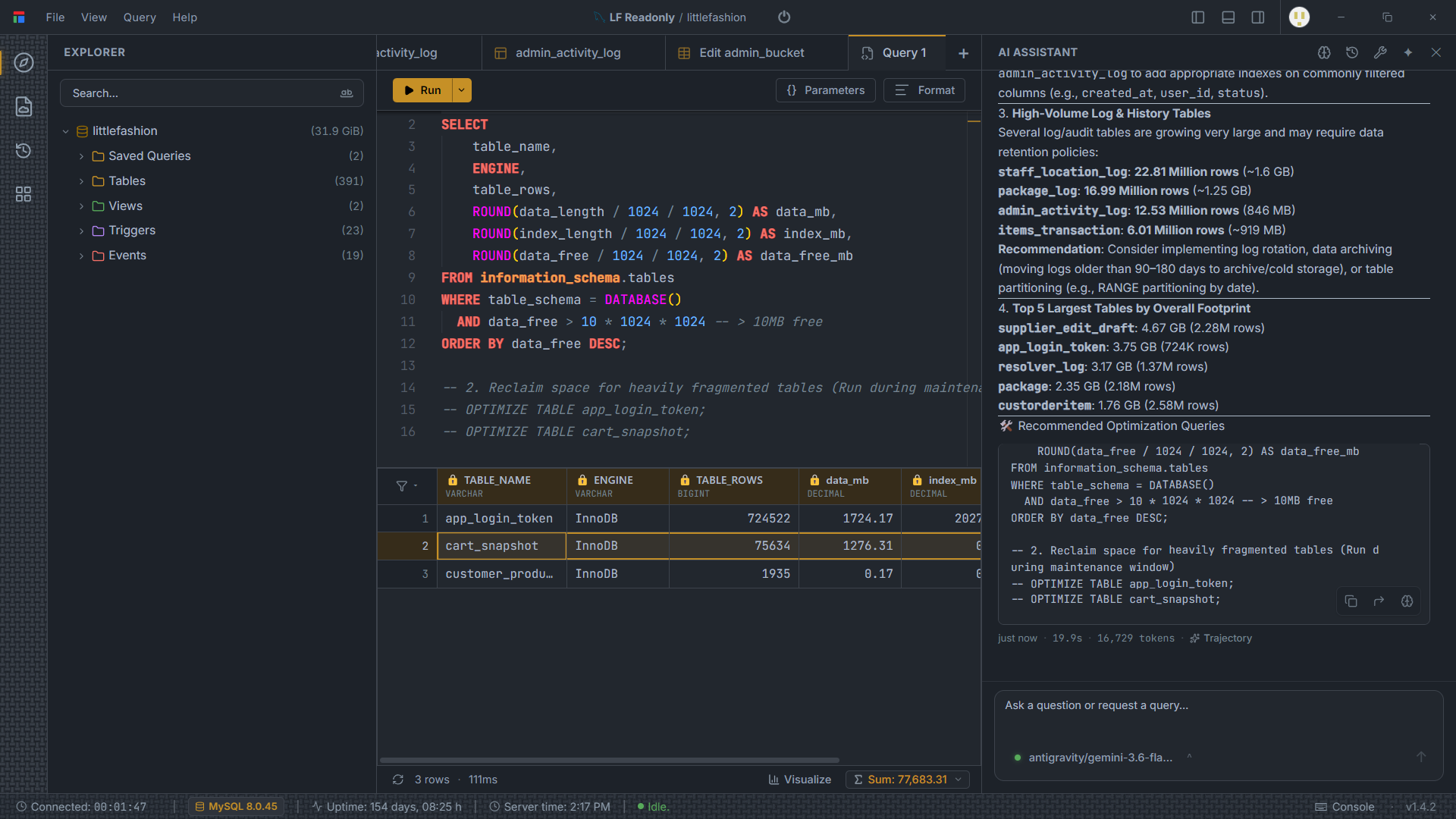
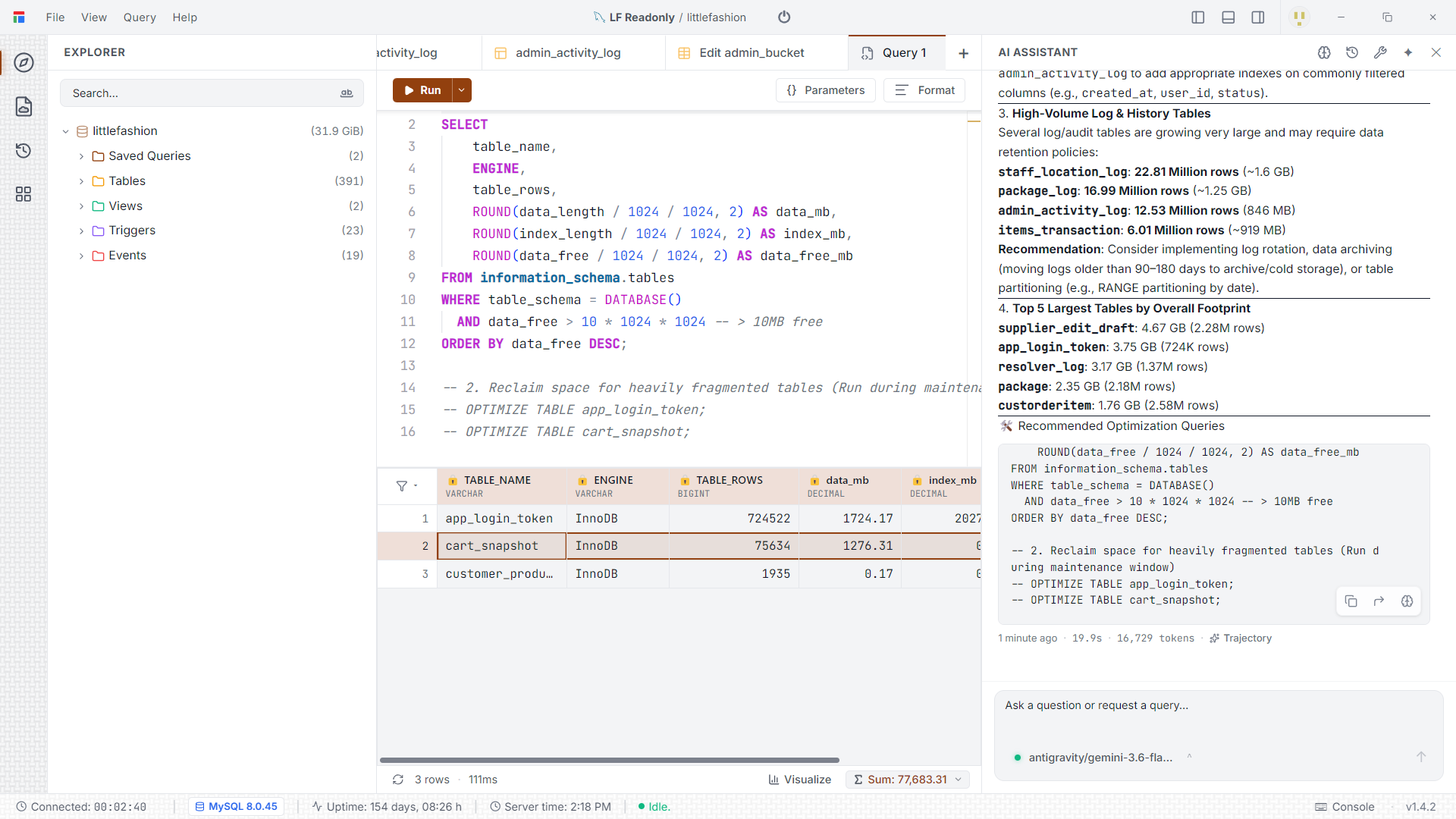
Generate and explain SQL, build dashboards, and edit schema from a chat panel that understands your connected database. Connect Anthropic, Google Gemini, or DeepSeek with your own key, or run fully local through Ollama and LM Studio — nothing is routed through Darang servers.
Key Capabilities
- Provider-agnostic: Anthropic, Gemini, DeepSeek, Ollama, LM Studio, or any OpenAI-compatible endpoint
- Per-feature tool permissions — decide what the assistant may touch
- Autonomous look-ups are capped to a single read-only SELECT; writes and DDL always need your approval
- Conversations and remembered schema context are stored locally in SQLite
Results Grid, Dashboards & Charts
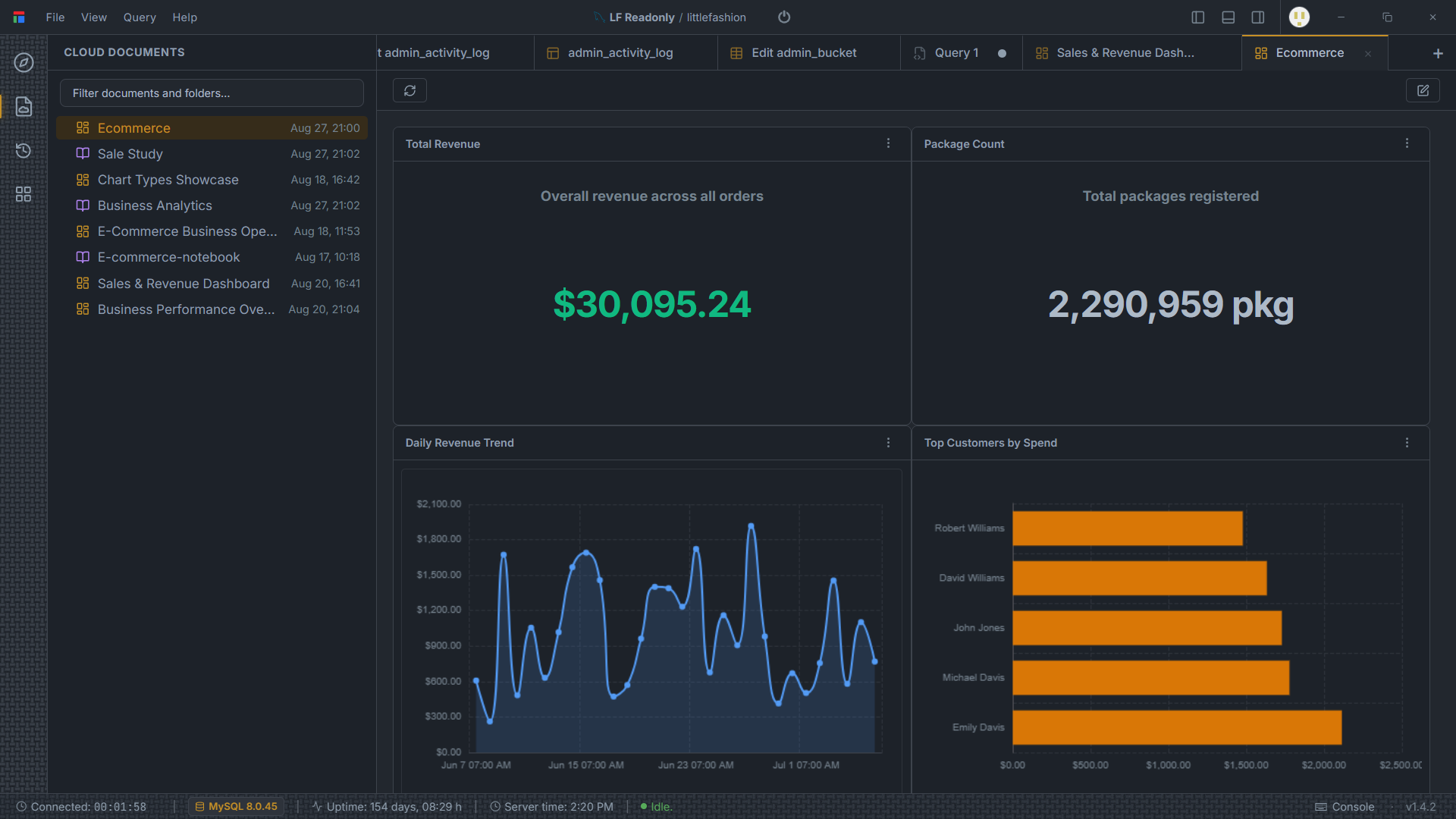
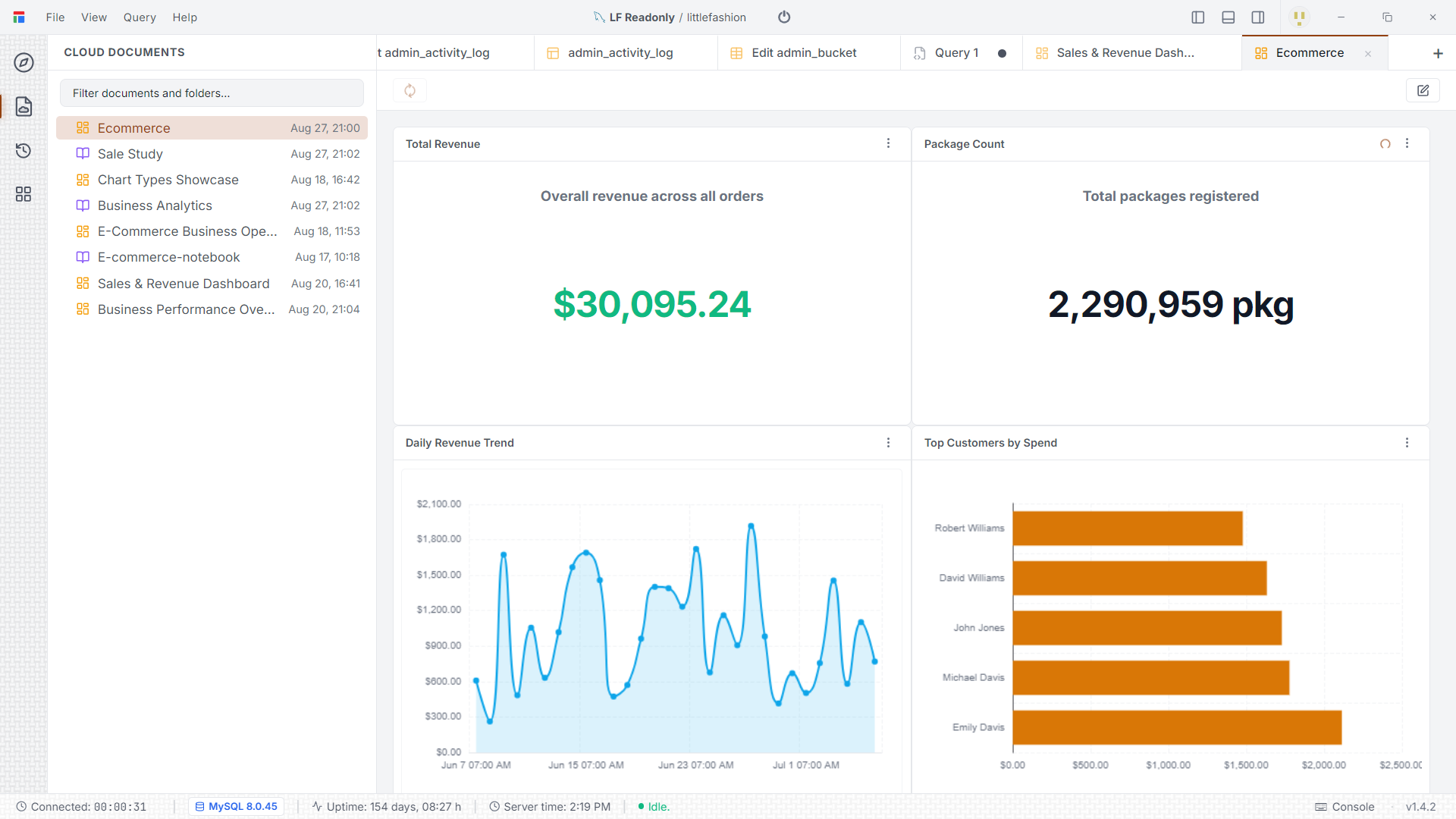
Scroll through large result sets smoothly, edit cells inline where the result maps back to a table, and turn any query into a bar, line, pie, scatter, or gauge chart — then pin charts onto a dashboard.
Key Capabilities
- Virtualized grid built for hundreds of thousands of rows
- Inline row editing with generated INSERT / UPDATE / DELETE
- Export results to CSV, JSON, or SQL INSERT statements
- ECharts-powered visualizations and multi-widget dashboards
Live Database Insights
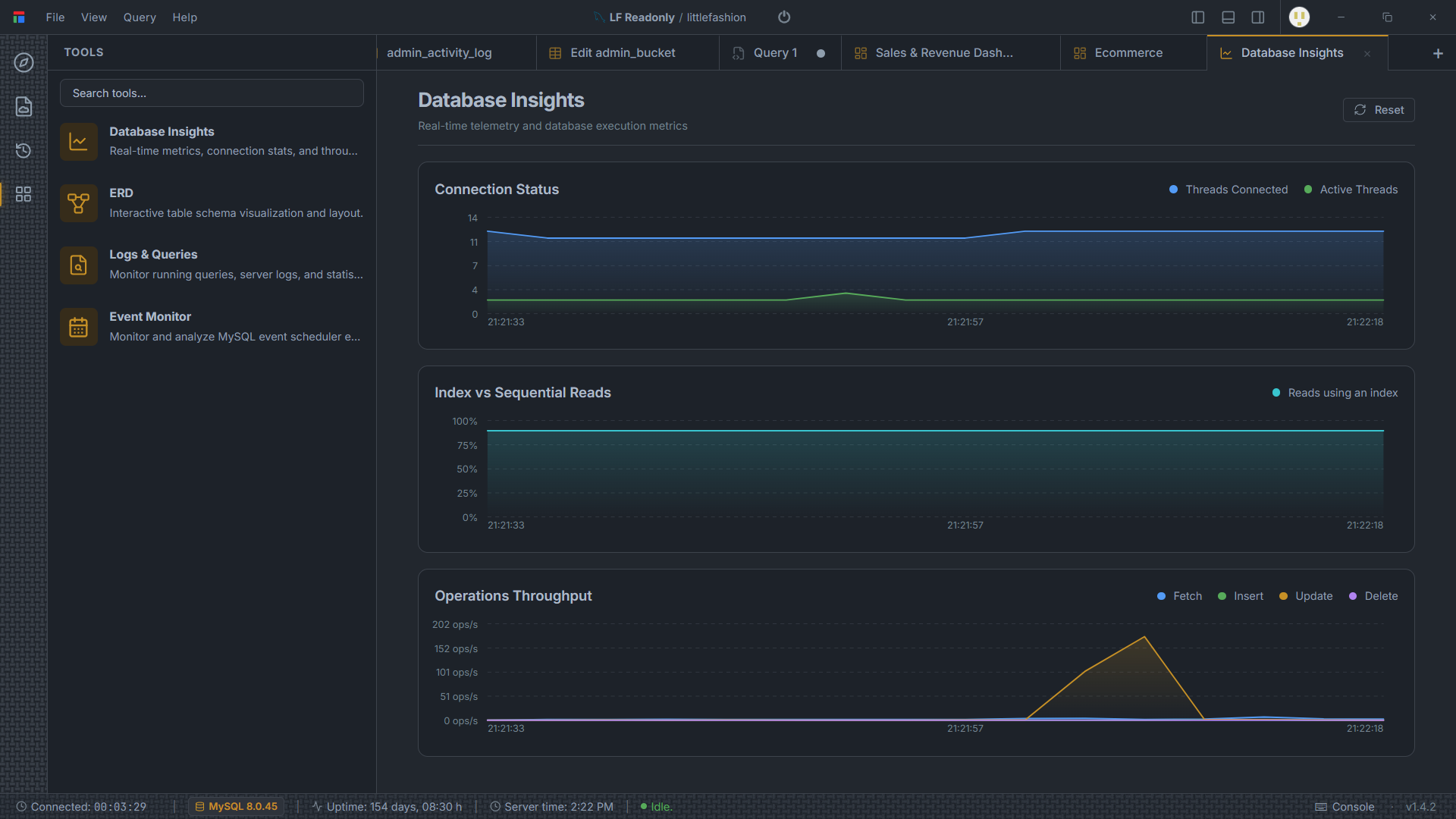
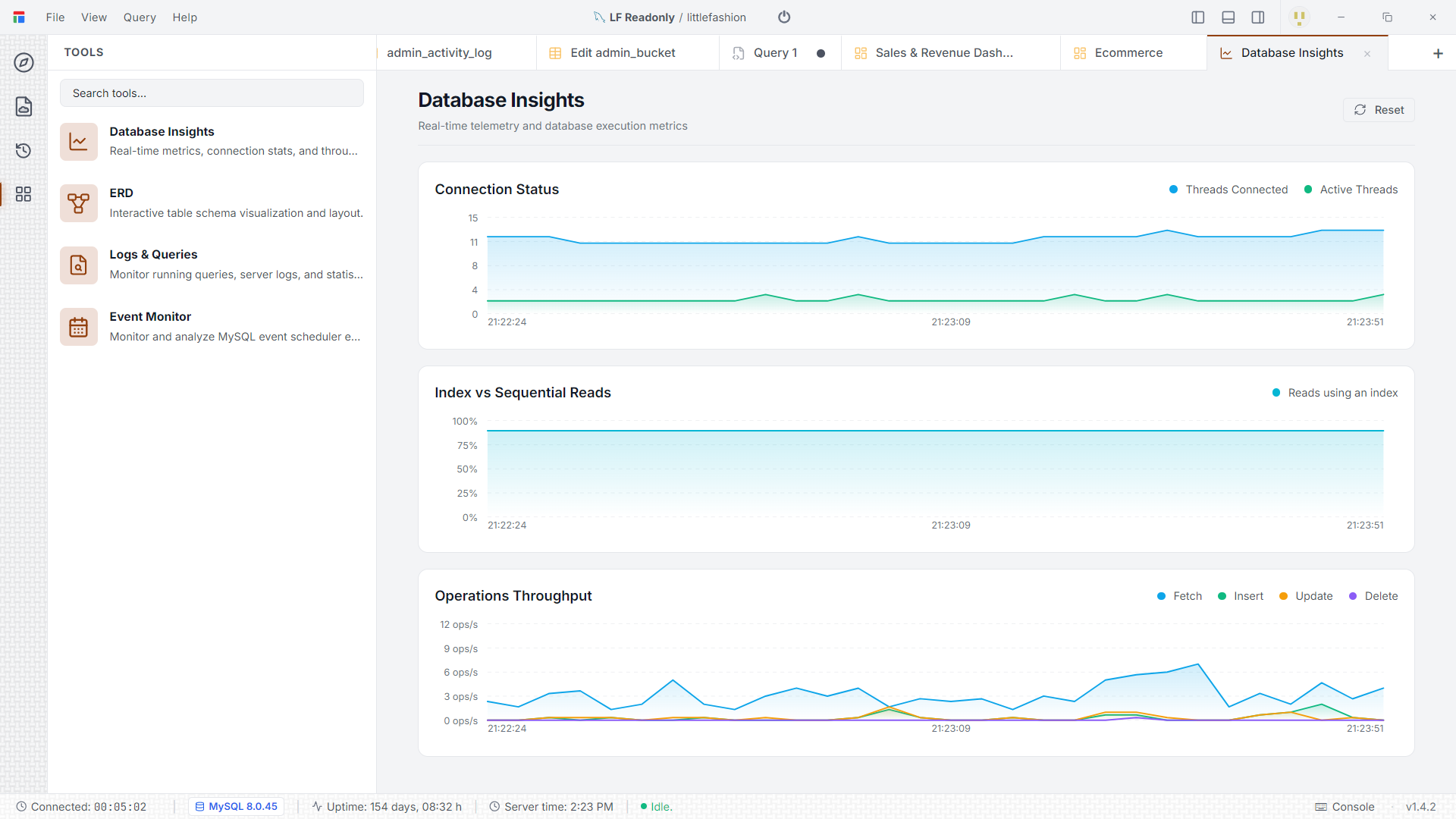
A built-in monitoring view charts connection and thread counts, index vs sequential reads, and operation throughput as they happen — alongside a running-query log and, on MySQL, an event-scheduler monitor.
Key Capabilities
- Connection status and active-thread charts
- Index vs sequential read ratio
- Fetch / insert / update / delete throughput over time
- Running-query log and MySQL event-scheduler monitor
Isolated Background Workers
Database drivers run in an Electron utility process, separate from the interface. A slow query, a hung connection, or a large result set never blocks the window — and you can cancel a query without restarting the app.
Key Capabilities
- Query execution and TCP streaming run off the main thread
- Cancel a running query without restarting the IDE
- Native drivers: PostgreSQL (pg), MySQL/MariaDB (mysql2), SQLite (better-sqlite3), Cloudflare D1
- Multiple connections managed side by side
Zero-Knowledge Encryption
Connection passwords, SSH keys, and SSL certificates are encrypted locally with AES-256-GCM before they touch disk. The key that unlocks them lives in your OS keychain, not in a Darang file.
Key Capabilities
- Client-side AES-256-GCM encryption of all connection secrets
- Master key stored in the OS vault (macOS Keychain, Windows Credential Manager, libsecret)
- Optional cloud sync only ever receives ciphertext
- SSL/TLS connections and SSH tunnelling supported
Offline-First, Optional Cloud Sync
Documents, query history, notebook outputs, tab layouts, and schema caches all live in a local SQLite database, so the app keeps working when the network drops. Cloud sync is an opt-in layer on top.
Key Capabilities
- Local SQLite cache (better-sqlite3) for all workspace state
- Full functionality with no internet connection
- Opt-in background sync of projects and documents across devices
- Encrypted credential payloads sync without exposing plaintext
What Darang connects to
Four databases today — and Darang is built to reach the rest of your stack over time.
PostgreSQL
First-class support for PostgreSQL database clusters, schemas, custom ENUMs, JSONB column inspection, and EXPLAIN ANALYZE execution trees.
- Schema & Search Path Support
- JSONB & Array Types
- Explain Analyze Visualizer
- SSL / TLS Encrypted Connections
MySQL & MariaDB
Full compatibility with MySQL and MariaDB databases. Supports table engines, indexes, procedure execution, and spatial data preview.
- InnoDB & MyISAM Engines
- Stored Procedure Execution
- Spatial Type Inspection
- Multi-statement Batch Execution
Cloudflare D1
Connect to a Cloudflare D1 database with an account ID, database ID, and API token. Browse schema, run queries, edit rows, and inspect triggers and views against Cloudflare's serverless SQLite.
- Token-based connection (no local file)
- Schema, view & trigger inspection
- Row editing & DML
- Transaction-aware batch execution
SQLite
Blazing fast local SQLite file inspection and manipulation. Zero network latency, instant schema discovery, and query execution.
- Zero-Configuration Attachments
- WAL Mode Inspection
- Pragma Settings Editor
- Direct File Loading