
Getting started with Darang
Everything you need to go from download to your first query.
Installation
Darang ships as a signed desktop app for Windows, macOS, and Linux. Head to the download page — it detects your operating system and offers the right build.
- Windows: run the
.exeinstaller (64-bit). - macOS: open the
.dmgand drag Darang to Applications. Pick theApple Silicon build for M-series Macs, Intel for older models. - Linux: make the
.AppImageexecutable and run it, or install the.debon Debian / Ubuntu.
Once installed, Darang updates itself automatically when a new release is published.
Connecting to a database
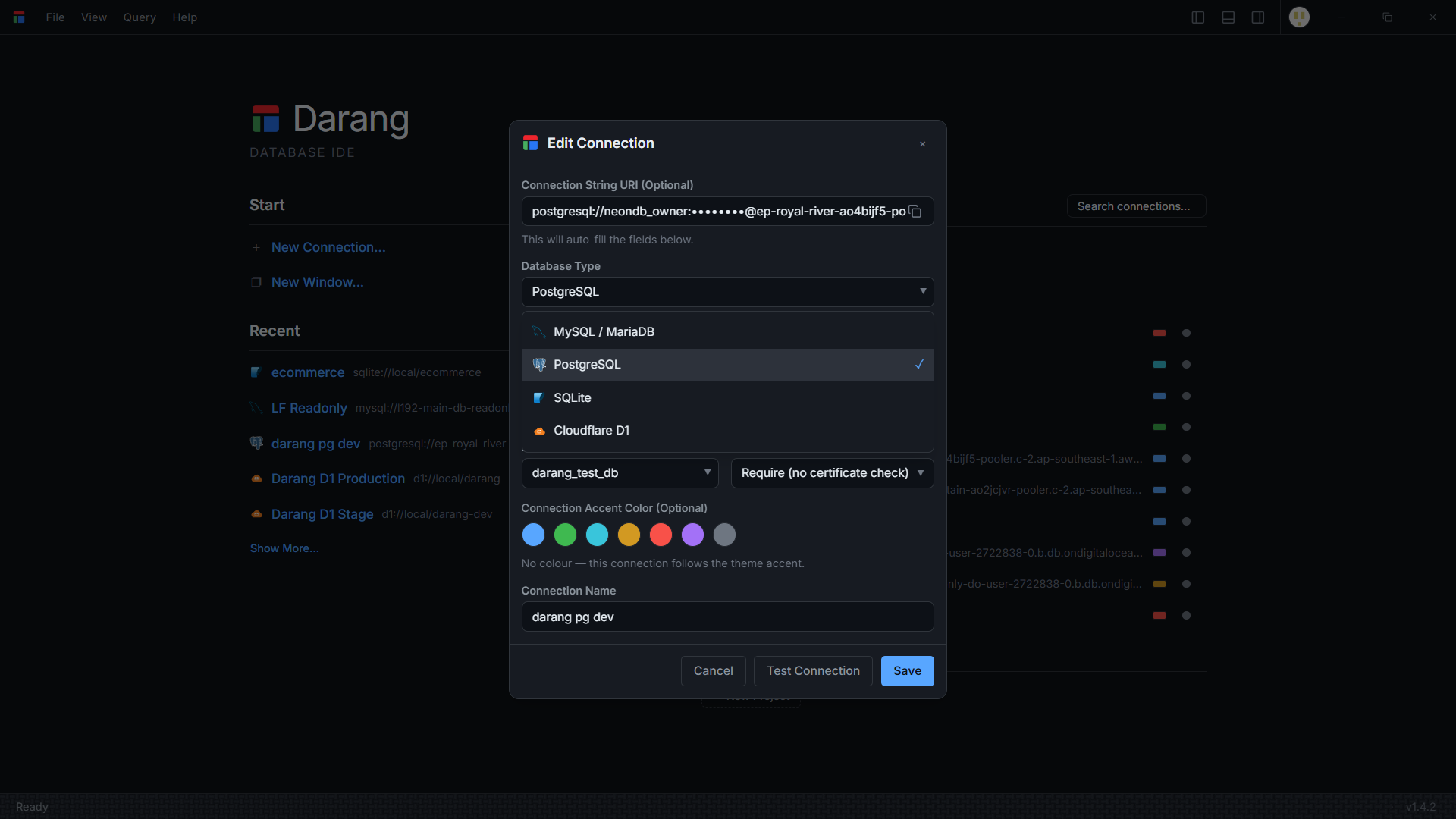
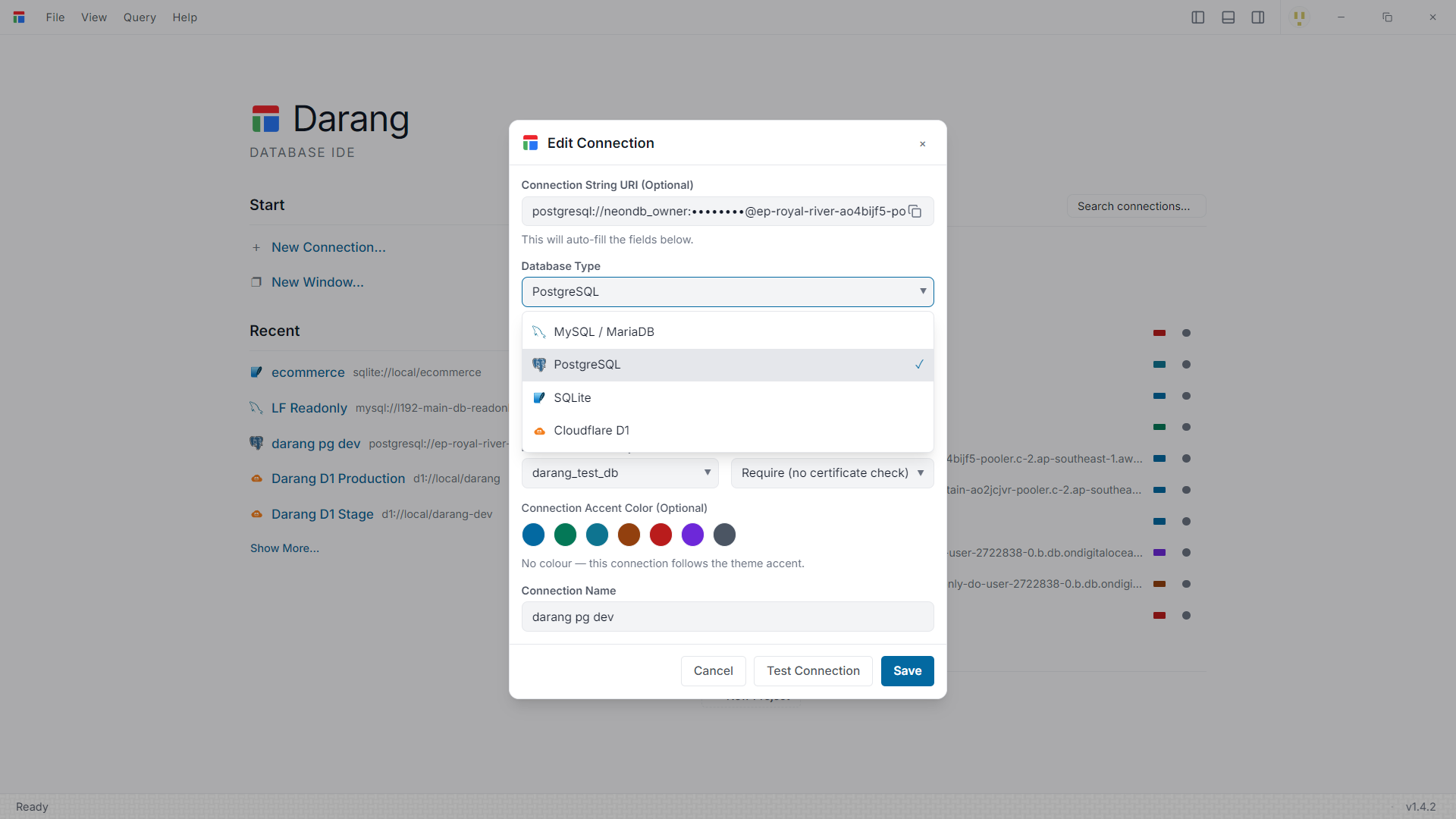
Open New Connection from the File menu or the sidebar. Darang connects directly to your database with the native driver — no agent or middleware.
- PostgreSQL — host, port, database, user, password. Optional SSL/TLS mode and SSH tunnel. Schema and search-path aware.
- MySQL & MariaDB — standard host/port credentials, TLS, and SSH tunnel support.
- SQLite — pick a database file. Zero configuration; schema discovery is instant.
- Cloudflare D1 — account ID, database ID, and an API token. Darang talks to the D1 HTTP API.
You can paste a connection string to auto-fill the fields, give the connection a name and an accent colour, and test it before saving. Credentials are encrypted locally the moment you save — see how your credentials are stored.
A quick tour of the workspace
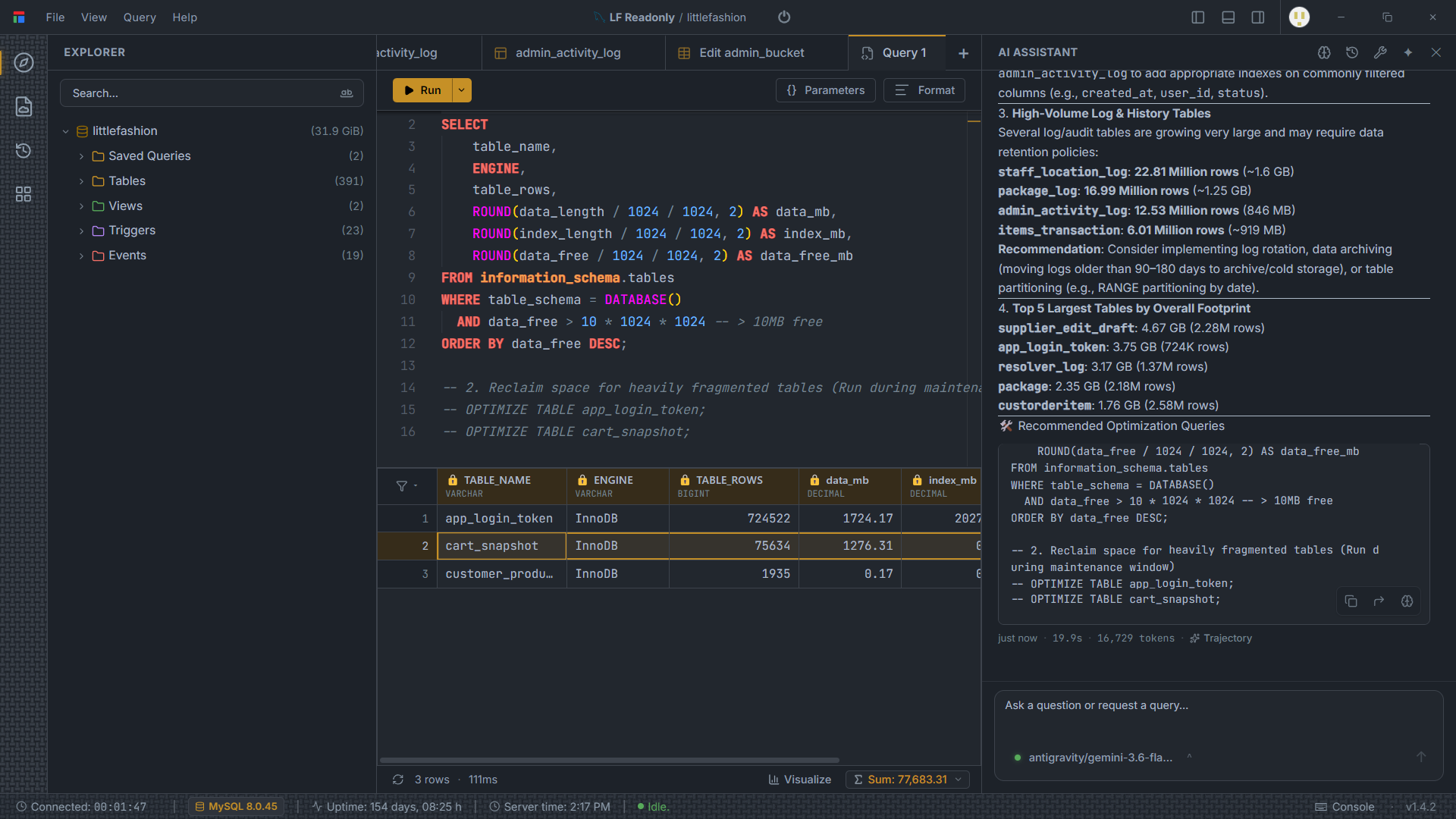
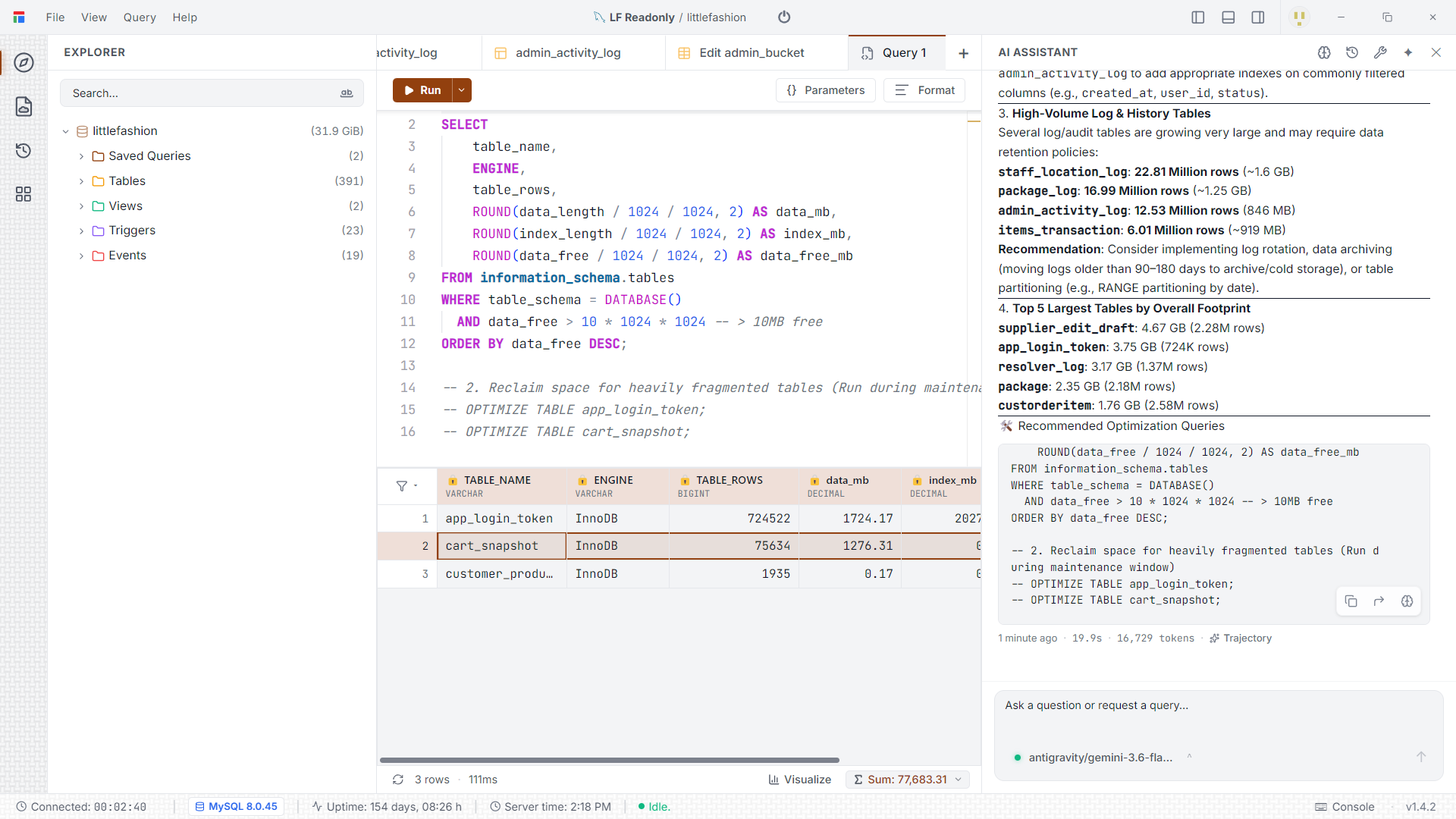
- Explorer (left) — connections, databases, schemas, tables, views, functions and triggers in a searchable tree.
- Editor / notebook (centre) — a Monaco-powered SQL editor with dialect-aware autocomplete, or a notebook that interleaves Markdown and runnable SQL cells.
- Results grid (bottom) — a virtualized table that scrolls through hundreds of thousands of rows, with inline editing and one-click charts.
- Tabs — queries, notebooks, ERDs, table editors and dashboards each open in their own tab; the layout is restored when you reopen the app.
Long-running queries execute in an isolated worker process, so the interface never freezes — you can keep browsing schema or cancel the query at any time.
SQL notebooks
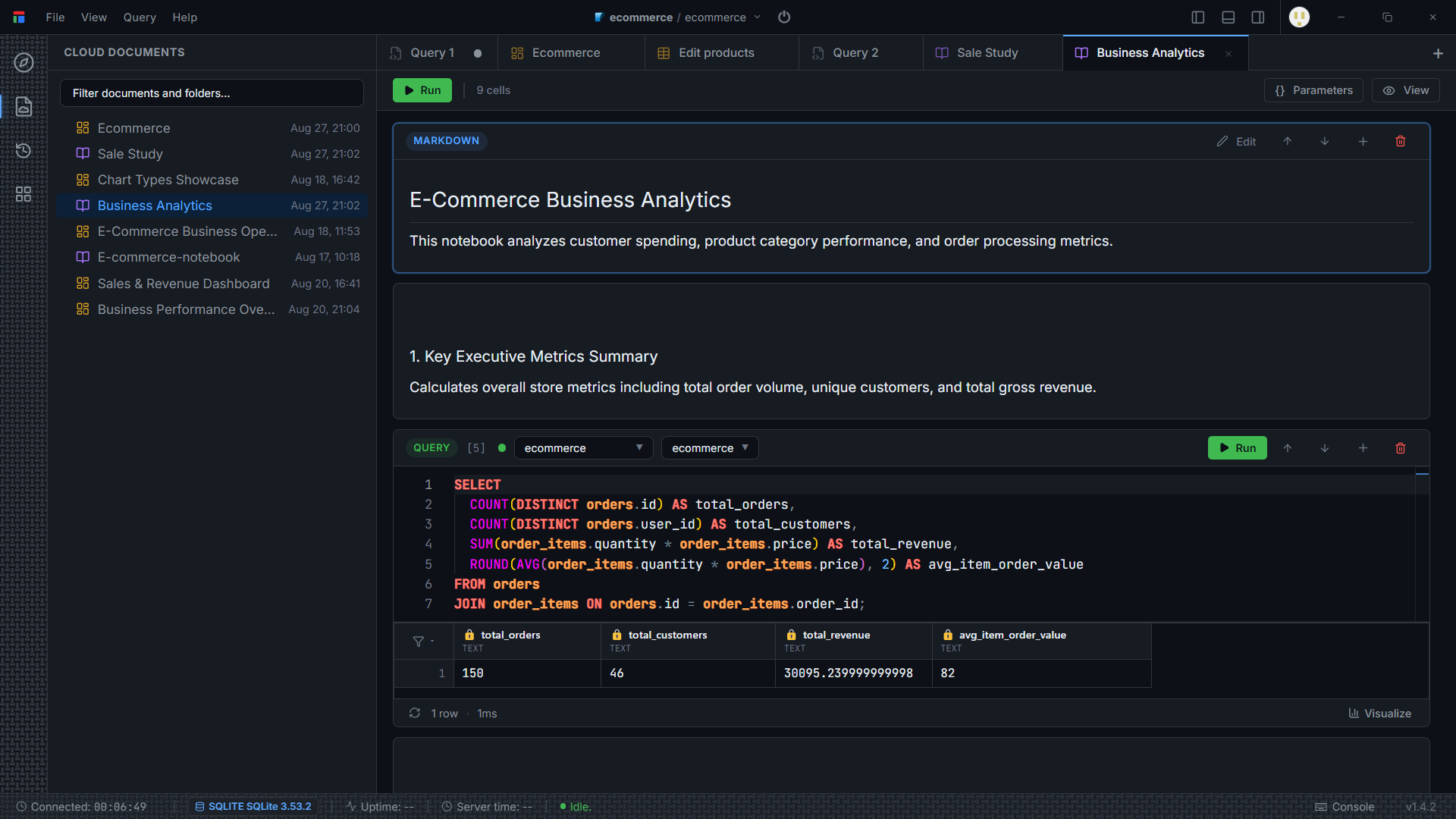
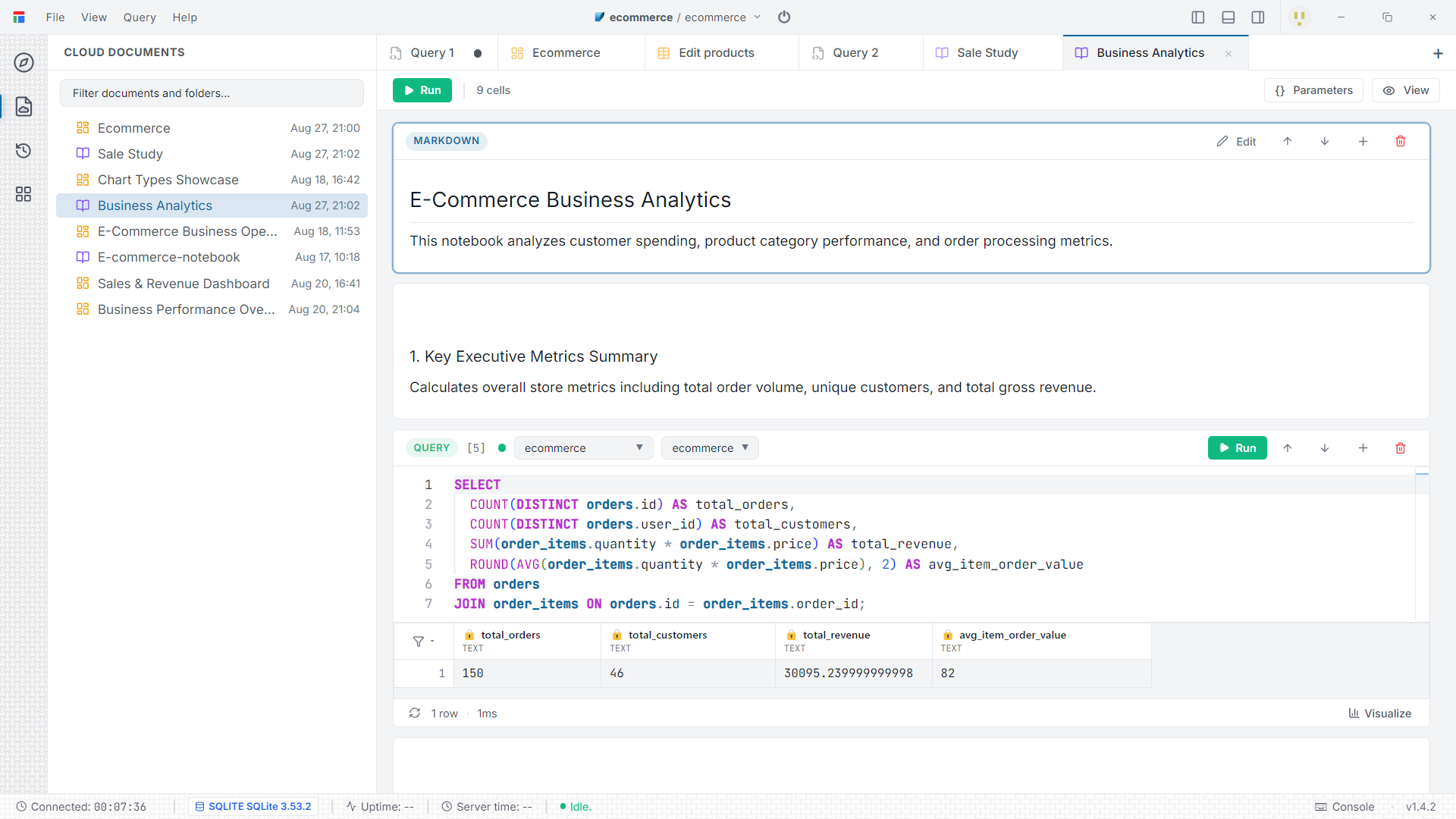
A notebook is a document of alternating Markdown and SQLcells. Run a cell on its own or run the whole notebook top to bottom. Each cell records its execution time, and outputs are cached locally so they're still there when you reopen the file. Notebooks are ideal for data investigations, runbooks, and shareable analysis.
The ERD studio
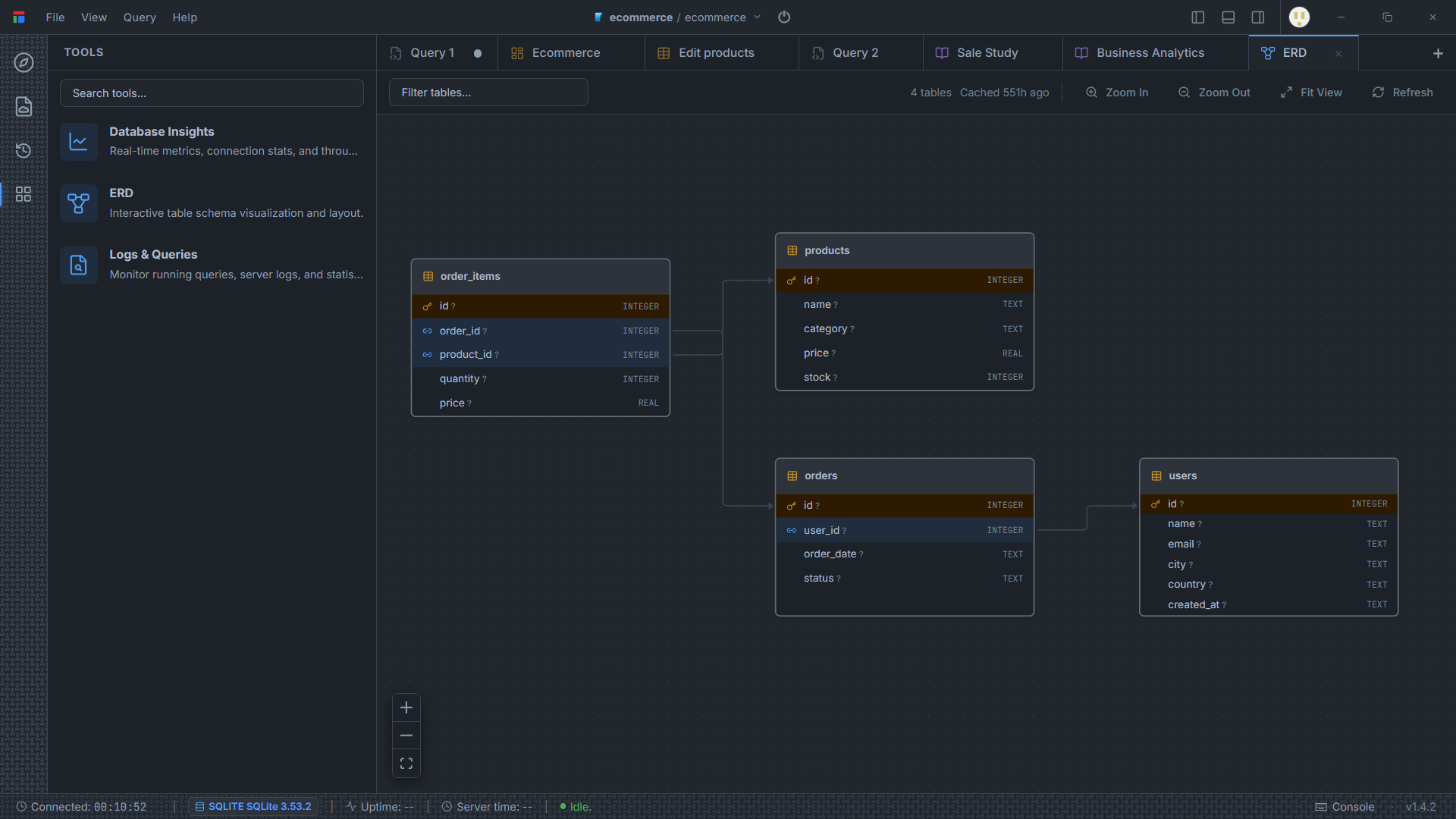
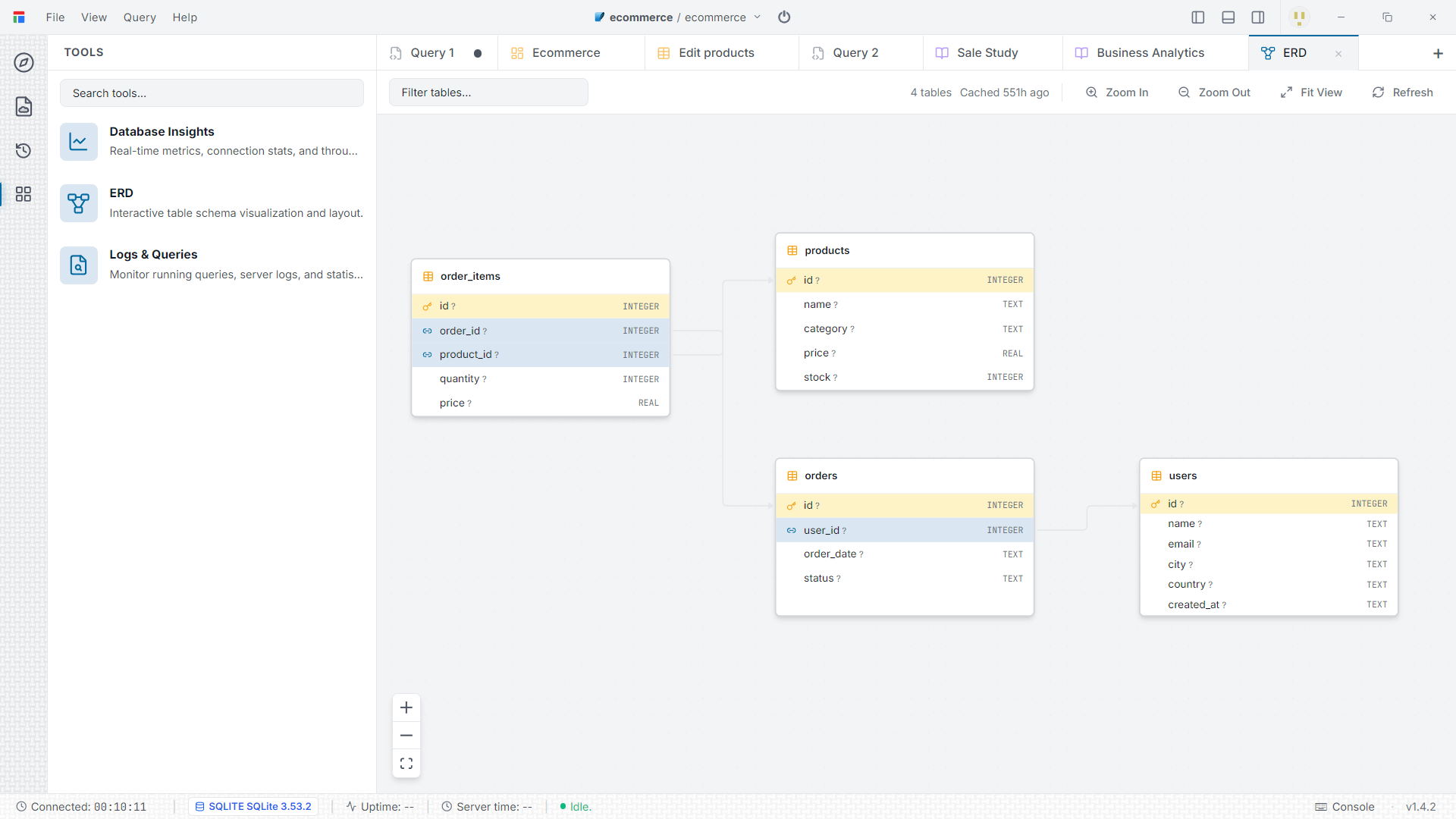
Open an ERD tab to see your schema as an interactive diagram. Darang reads foreign keys, constraints, column types and indexes, then lays the tables out automatically with a hierarchical graph engine. Drag nodes to refine the layout, inspect a table inline, and export the diagram to SVG or PNG.
The visual schema builder
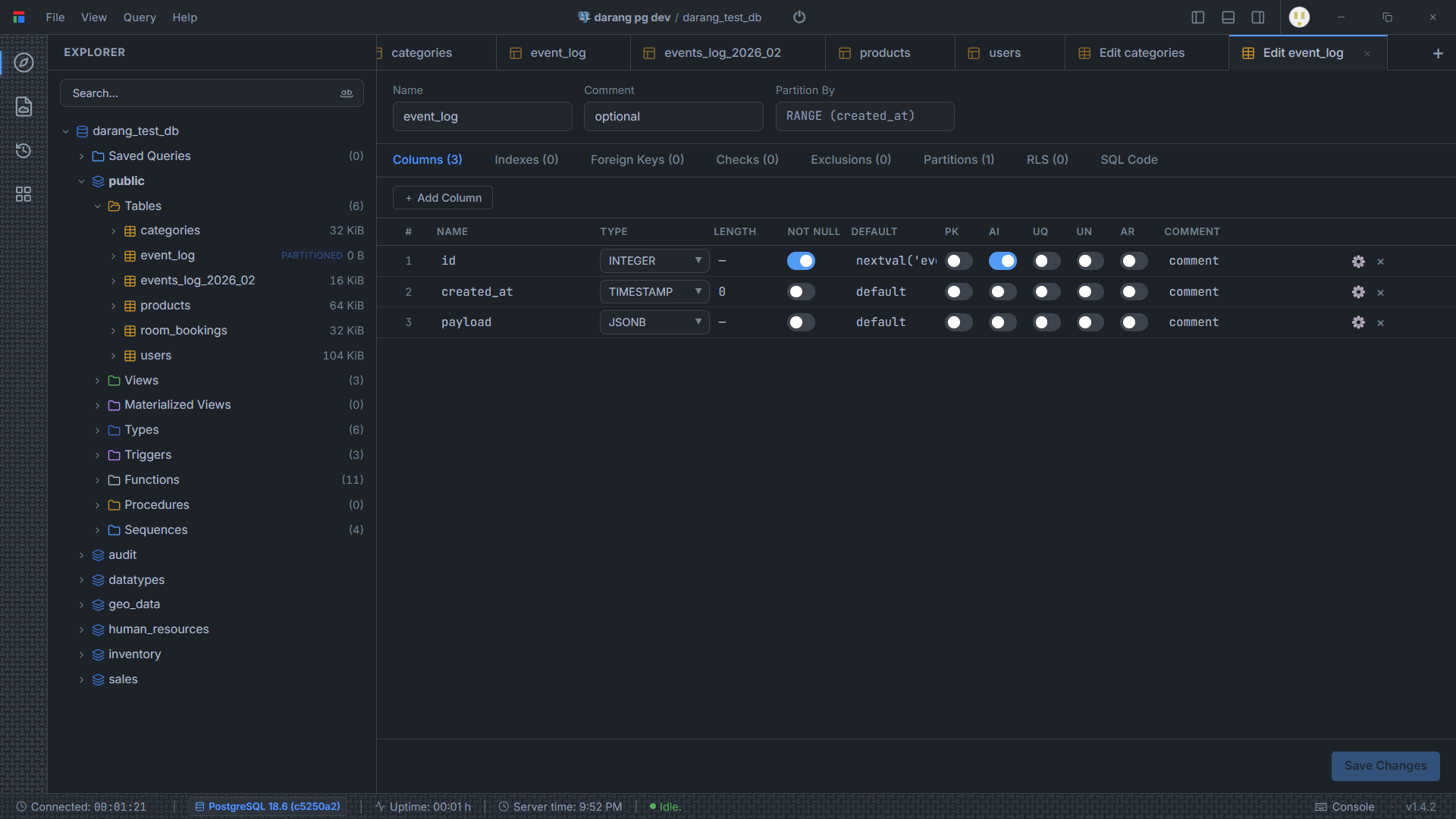
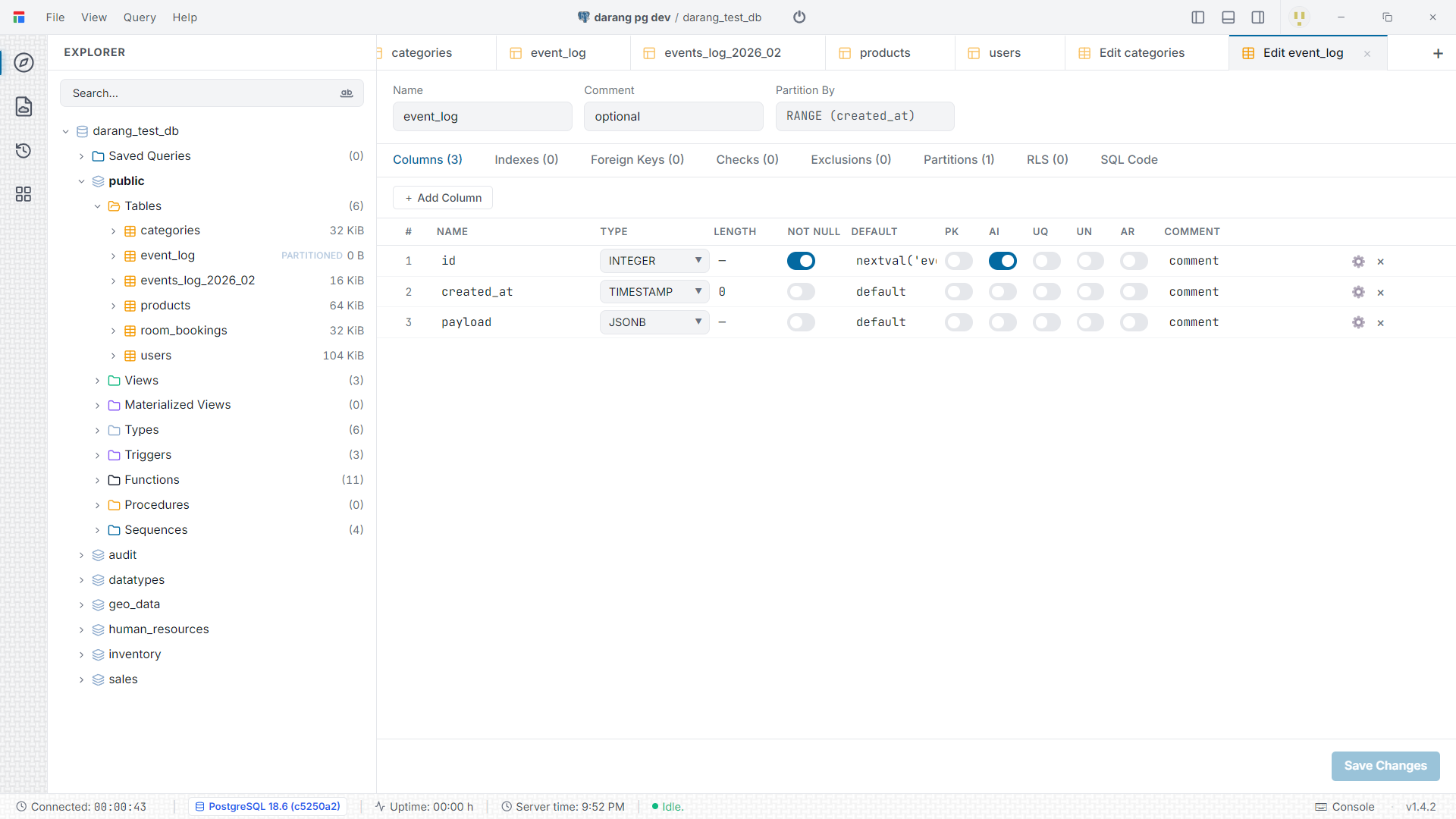
Right-click a table (or use Add Column in a new table editor) to change structure without hand-writing DDL. Each object gets a tabbed editor — columns, indexes, foreign keys, checks, exclusions, partitions, and row-level security on PostgreSQL. TheSQL Code tab shows the exact statements Darang will run; nothing is applied until you hit Save Changes. Views, triggers, functions and scheduled events have their own editors too.
Results, export & charts
- Scroll large result sets smoothly with the virtualized grid.
- Edit cells inline where the result set maps back to a single table.
- Export results to CSV, JSON, or SQL
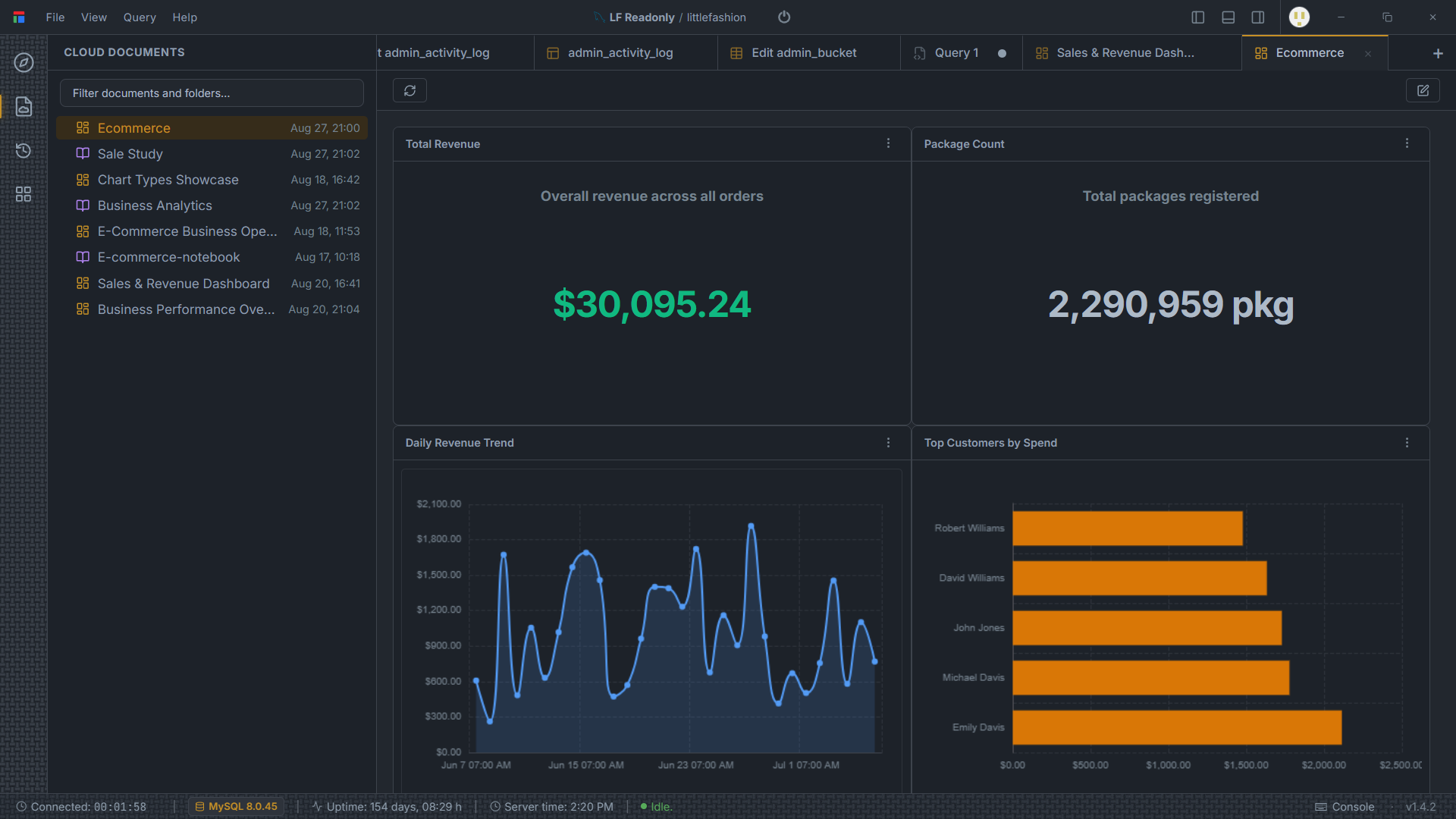
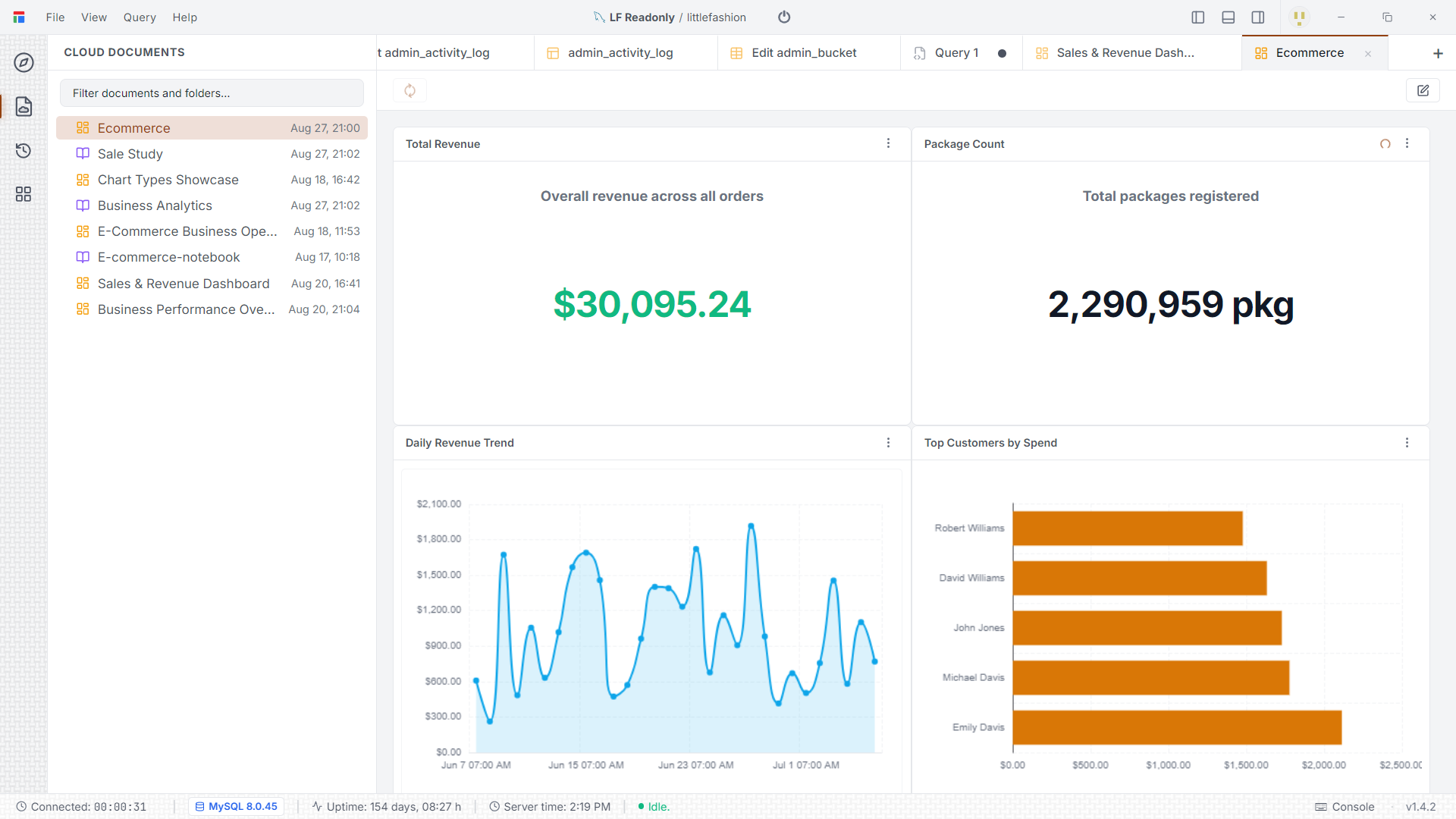
INSERTstatements. - Turn a result into a bar, line, pie, scatter or gauge chart, and pin charts onto adashboard.
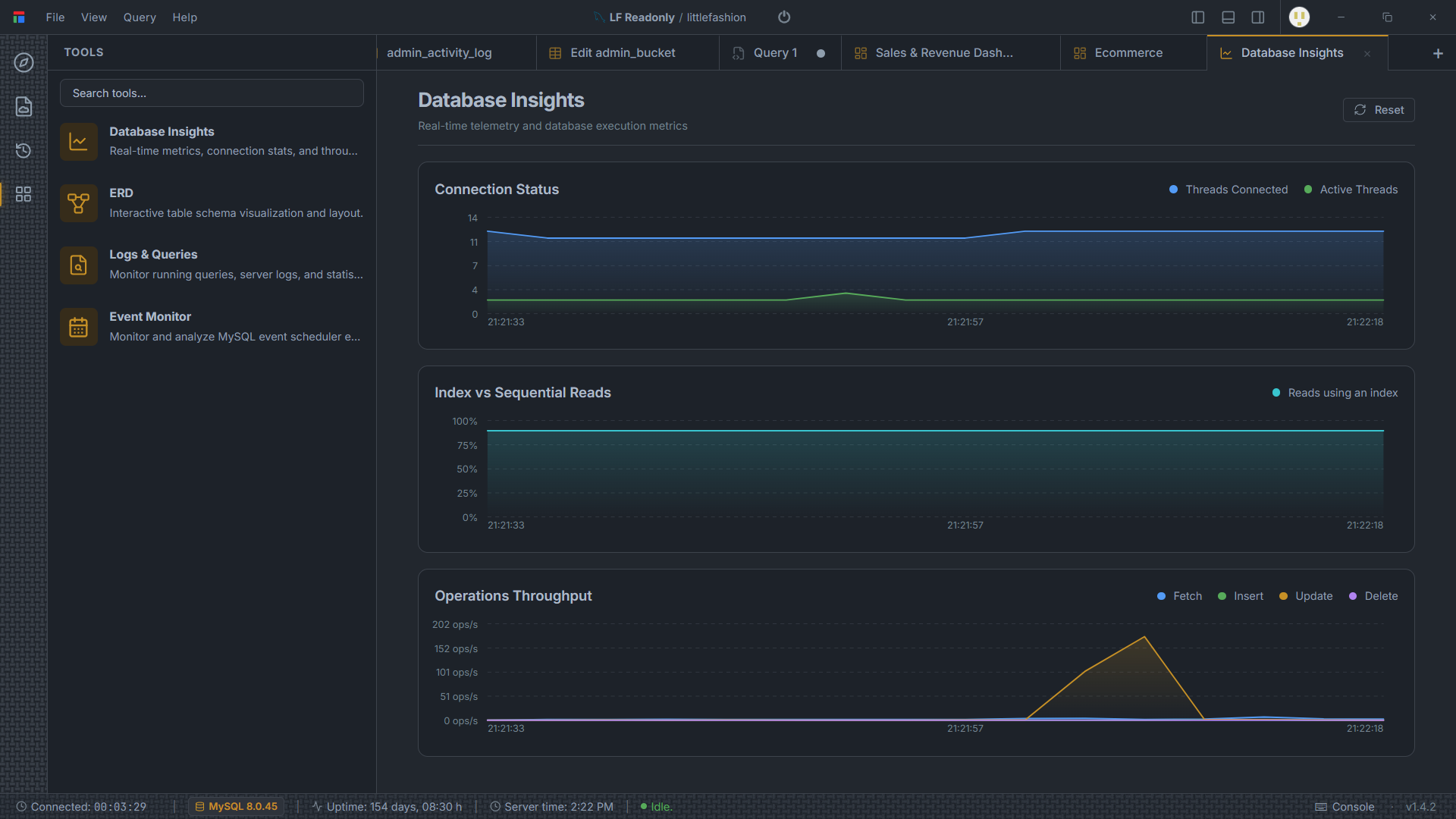
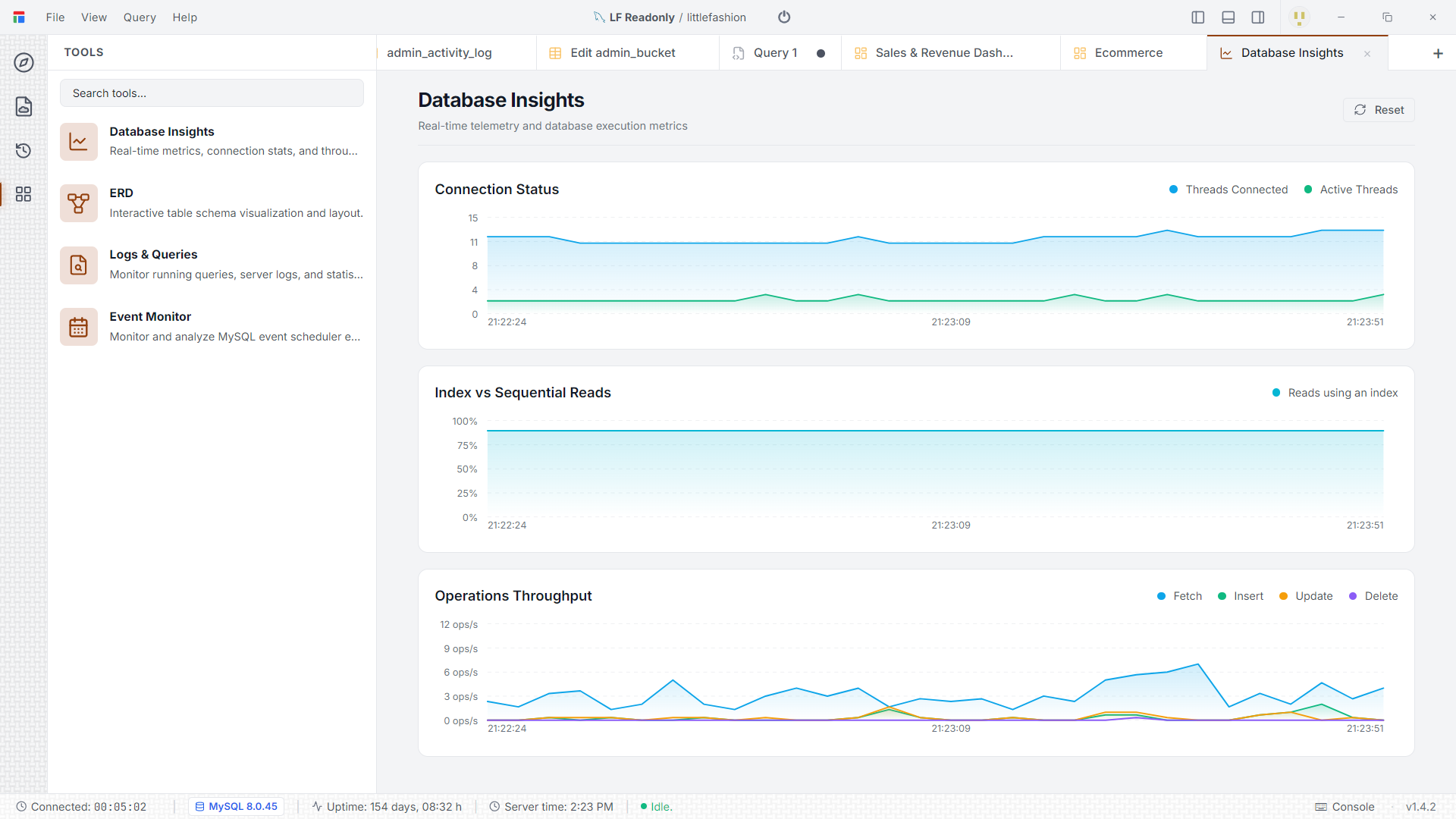
A separate Database Insights view charts connection counts, index vs sequential reads, and operation throughput in real time.
The AI assistant
The assistant is optional and runs on your model. In settings, connect Anthropic, Google Gemini or DeepSeek with your own API key, or point Darang at a local Ollama / LM Studio server (or any OpenAI-compatible endpoint).
- Ask it to write or explain SQL against your connected schema.
- Let it build notebooks, dashboards and schema changes — each as a proposed action you approve.
- Under AI Tools, toggle exactly which surfaces it may touch (query editor, connections, schema builder, export, and more).
- Autonomous data look-ups are limited to a single row-capped read-only
SELECT; anything that writes always waits for you.
How your credentials are stored
Passwords, SSH keys and SSL certificates are encrypted on your machine with AES-256-GCM before they touch disk. The key that unlocks them is stored in your operating system's credential vault (macOS Keychain, Windows Credential Manager, Linux libsecret), not in a Darang file. Full details are on the security page.
Cloud sync
Cloud sync is opt-in. When enabled, your projects, documents and connection metadata sync across devices in the background. The connection secrets that sync are thealready-encrypted payloads — the server can't read them. Everything keeps working offline; changes reconcile when you're back online.
Keyboard shortcuts
| Run query | F5 |
| Run selected statement | Ctrl / Cmd + Enter |
| Stop running query | Ctrl / Cmd + . |
| Format SQL | Ctrl / Cmd + Shift + F |
| New dashboard | Ctrl / Cmd + Shift + D |
The full keymap, including editor commands, is in the app's Help menu.
Ready to try it? Download Darang— it's free and takes about a minute to set up.